🧩 All of Clinchy, in detail
The 14 features that change the game
From the mission marketplace to custom themes, here's how every piece works in practice — and what's reserved for Premium.
🛒 The Marketplace
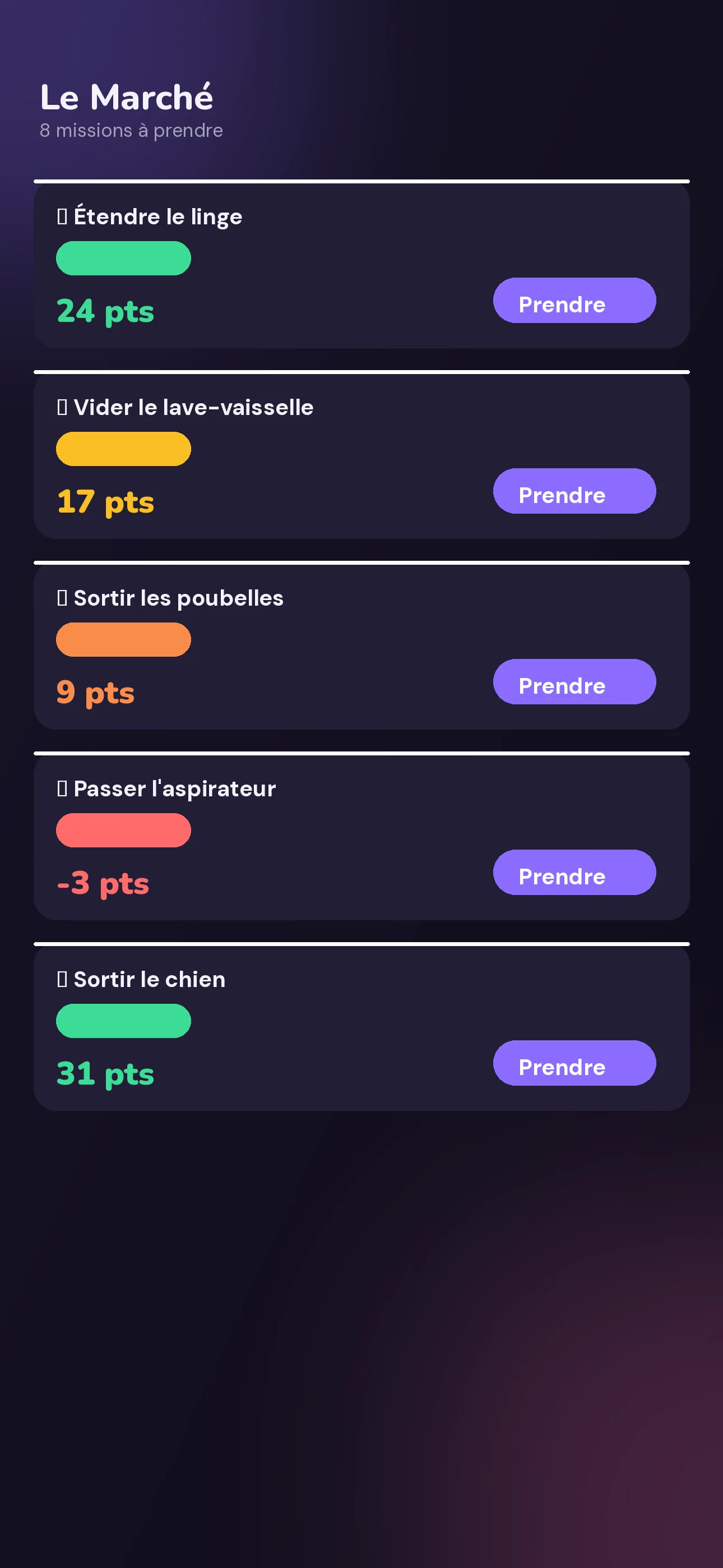
This is the app's home screen: every mission in the space, filterable by To take, In progress, Done, or All. Each card shows its current price, its criticality, and an urgency badge that climbs as its value drops.
How it works: open the app and see the marketplace at a glance — balance, available pool, urgent-mission count, current streak. Take a mission in one tap, confirm it with a swipe once it's done.
🎁 The Shop
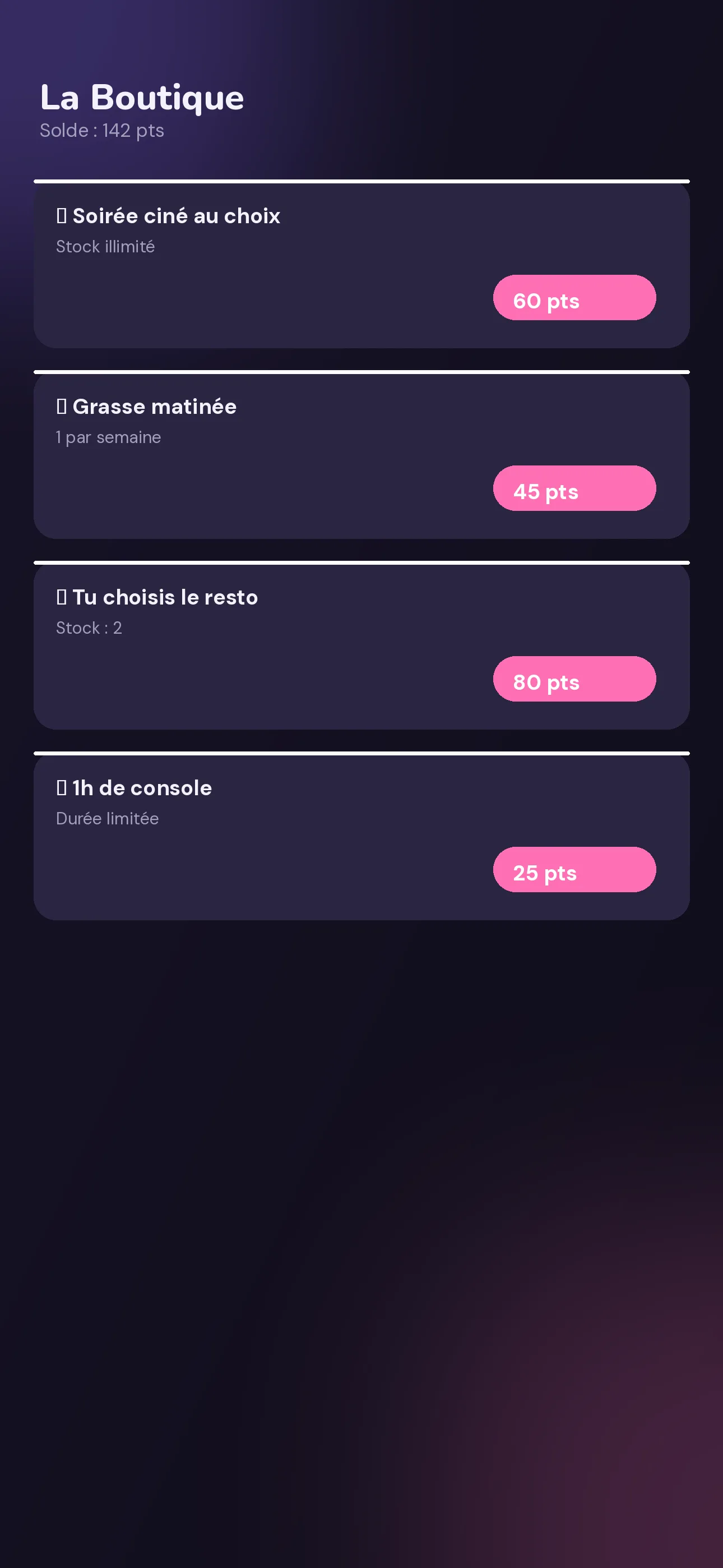
Rewards aren't fixed: the group invents them. Movie night, sleep-in, pick-the-restaurant, pocket money… with limited or unlimited stock, and sometimes a duration (like "1h of console time" which shows up under "In progress" for the length of the session).
How it works: when creating a reward, guardrails warn you if the price seems off — too low ("risks devaluing the effort") or too high ("might discourage").
🧭 Smart Planner
PROThe Smart Planner analyzes the last 4 weeks of history, category by category, and suggests a balanced split of missions between the space's members.
How it works: run the analysis, Clinchy proposes a split. You can adjust it line by line before confirming — nothing applies without your approval.
🔁 Detected routines
Clinchy spots regular habits in your history — "every Tuesday", "every other Saturday" — and automatically schedules them for the upcoming week, at full value until their date.
How it works: no setup needed at first. Once a pattern emerges from your history, Clinchy offers to turn it into a scheduled routine.
📊 Statistics
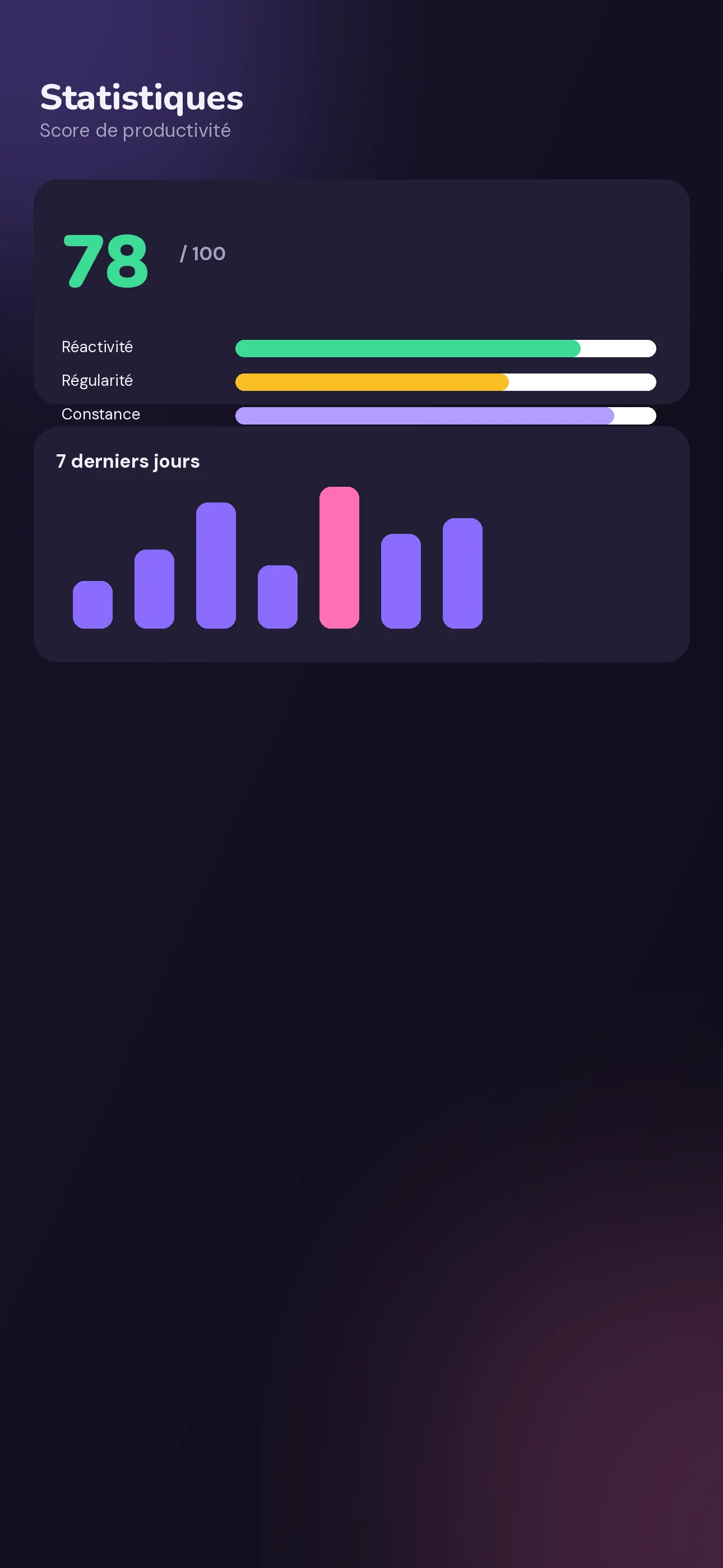
PROA productivity score broken into three axes: Responsiveness (value kept by claiming a mission quickly), Consistency (active days over the last 14) and Streak (your current streak). Plus the last 7 days, your typical week, your dominant time of day, and a CSV export.
How it works: the Statistics tab updates continuously from your activity — nothing to fill in.
🍅 Pomodoro + Live Activity
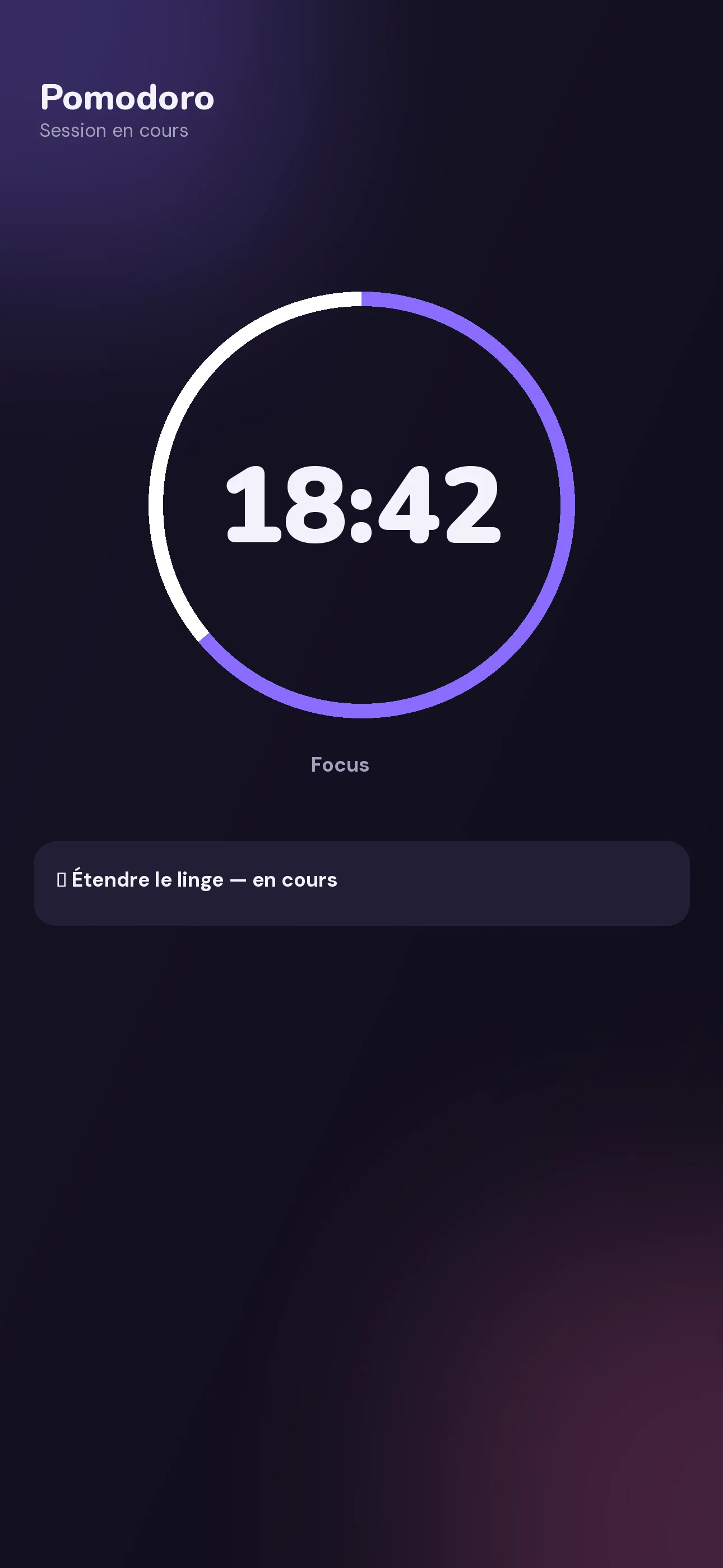
PROA configurable work/break timer, with number of sessions and estimated finish time. It stays visible above your in-progress missions, and even shows up on the lock screen and Dynamic Island on iPhone.
How it works: start a Pomodoro session from an in-progress mission; the timer follows you everywhere without reopening the app.
🧸 Kid Mode
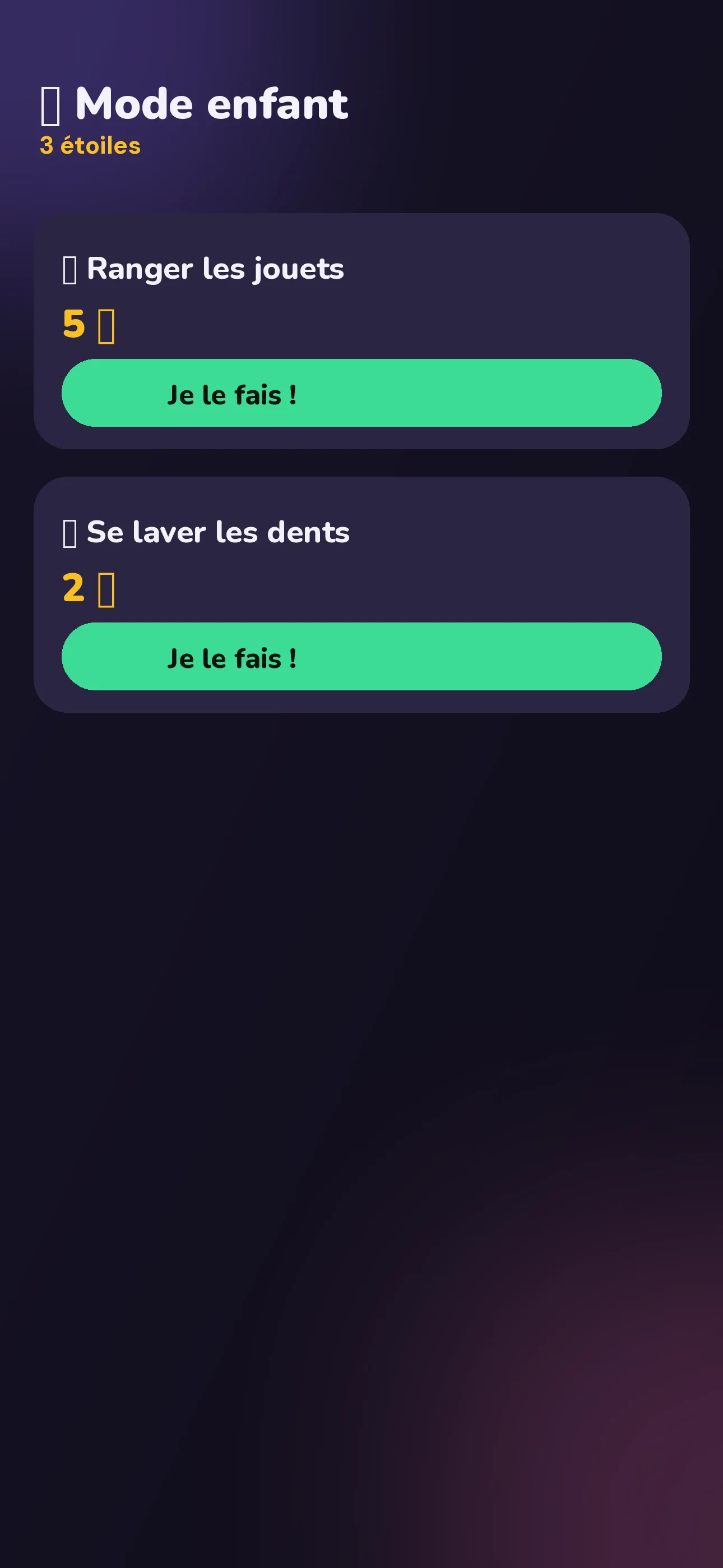
PROA giant, colorful interface designed for little ones: stars instead of points, big "I'll do it!" and "Done!" buttons. Exiting Kid Mode is protected by a long-press followed by a parent's approval.
How it works: Kid Mode lives inside an adult's account, who creates and administers the space. The kid doesn't need their own account.
🧩 Home screen widget
PROOn Android, a widget shows the marketplace's state right on your home screen: urgent missions, balance, without opening the app.
How it works: add the Clinchy widget from your Android home screen, just like any other widget.
🔔 Smart notifications
Useful reminders, not intrusive ones: value drop (a mission falls below a third of its value), penalty threshold crossed, deadline in 1h, new mission posted, unfinished in-progress mission, evening streak reminder.
How it works: notifications are local to your device and configurable in the app's preferences.
📅 iOS Calendar & Reminders
Add a mission to your iOS calendar in one tap. A reminder is automatically created when you take it, and removed once it's completed.
How it works: Clinchy asks for calendar and reminders access once; everything stays synced on your device.
🏆 Global leaderboard
On top of your space's leaderboard, two views: "Around me" and "Top worldwide". Leagues are announced as a coming feature.
How it works: your ranking is based on your cumulative XP, never on your spendable balance (which resets every week).
🎨 Themes & sounds
PRO4 visual themes — Clay 🫧, Gold 👑, Neon ⚡, 8-bit 🕹️ — each with its own sound ambiance, a System or Twemoji emoji style (identical rendering on iPhone and Android), haptic feedback and confetti.
Try them: the app's themes are right here on the site — check out the theme picker at the bottom of the homepage.
📚 Ready-made libraries
Dozens of pre-written missions and rewards, sorted by category: Dishes, Cooking, Laundry, Pets, Kids, Trash, Cleaning, Outdoors, Groceries, Admin, Work for missions; Screens & games, Outings, Treats, Rest & passes, Power to choose, Money & gifts, Bonus & personal for rewards.
How it works: when creating a mission or reward, pick straight from the library instead of writing everything yourself.
🌍 4 languages
French, English, Spanish, German — automatically detected from your phone's language, changeable anytime in settings.
How it works: each member of a space can use their own language; the mission vocabulary stays the one you chose (Points or Credits).

Ready to try it?
Free, no commitment.
 Soon
Soon
 Soon
Soon